
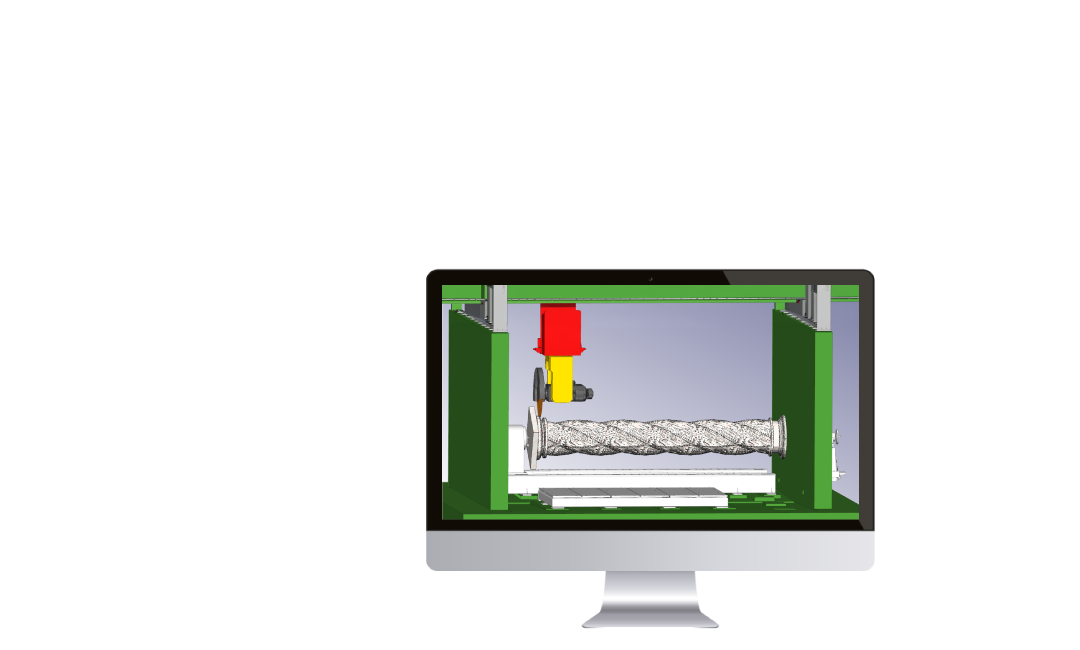

Software solutions for programming stone and marble machining on turning centers with up to 6 continuous axes. Pegasus CAD-CAM Rotary is designed to offer ease of use, precision, and flexibility, allowing even less experienced operators to manage complex machining processes intuitively and quickly.

download the brochure

Software versions.

Explore the different versions available for marble and stone turning.
Essential
Standard
Advanced
Ultimate
Lathe Advanced

Visualizza nomi funzioni: True

Design icon
2D design

Pegasus CAD-CAM Rotary includes a complete design environment, enabling users to create, modify, and prepare 2D models in a smooth and immediate way.

The 2D CAD module allows users to draw and edit two-dimensional geometries directly on work planes, providing practical tools to produce precise and detailed designs.

It includes functions for text creation, dimensioning, and vector printing, simplifying the preparation of decorative or technical machining.

Modellazione 3D icon
3D design and import

Thanks to dedicated drawing and modeling tools, the software allows users to move from concept to production with a smooth and optimized workflow.

The 3D CAD module enables the creation and editing of complex 3D models, sculpted surfaces, and decorative elements, offering great freedom in designing marble and stone products.

Compatibility with major CAD formats (DXF, DWG, IGES, 3DS, STEP, STL, OBJ, Rhino3D) also allows easy import of files from external software, ensuring seamless integration into existing workflows.

Disk tool machining

Advanced functionalities for machining parts mounted on rotary axes using disk tools.

The software enables precise groove machining and integrates dedicated strategies for shoulder rest machining and roughing operations, optimizing both machining time and quality.

Milling tool machining

Maximum flexibility in turning operations with milling cutter, from 2.5D machining up to continuous multi-axis machining with positioned or interpolated lathe.

The software includes advanced functionalities for automatic recalculation of rest material and dedicated strategies for efficient groove machining.

Simulation icon
Simulation

Integrated graphical simulation environment that allows verification of machining results before actual machine execution.

Part simulation enables visualization of material removal and control of the final machining result, helping identify potential issues before production.

With the machine simulation module, users can see their machine in action, monitoring all axis movements and checking for collisions or limit exceedances in advance.

Maximum compatibility

Pegasus CAD-CAM ensures perfect integration by offering an updated and comprehensive Post Processor library, compatible with major CNC machine manufacturers.

For specific needs, custom Post Processors can be developed for any machining center.

Software versions.

  • 2D CAD tools
  • Import 2D CAD files in DXF, DWG formats, etc.
  • Disk tool table management
  • Speed lathe machinings (disk)
  • Solid simulation with material removal and collisions control
  • Handling of rotary axis (6th axis)
  • 2D CAD functions
  • Importing 2D CAD files (DXF, DWG formats etc.) and 3D files (IGES, STEP, STL formats, etc.)
  • Tool table management, tool holders, angular gearboxes, etc.
  • 2.5D milling machinings with indexed lathe
  • Speed lathe machinings (mill and disk)
  • Disk planar cut roughing
  • Solid simulation with material removal and collisions control
  • Handling of rotary axis (6th axis)
  • 2D and 3D CAD
  • Importing 2D CAD files (DXF, DWG formats etc.) and 3D files (IGES, STEP, STL formats, etc.)
  • Tool table management, tool holders, angular gearboxes, etc.
  • Advanced functionalities for the automatic recalculation of rest material
  • 2.5D milling machinings with indexed lathe
  • Speed lathe machinings (mill and disk)
  • Disk planar cut roughing
  • 3D machinings with indexed lathe
  • 3D machining with interpolated lathe (3+1 axes)
  • Disk machining with interpolated lathe
  • Solid simulation with material removal and collisions control
  • Handling of rotary axis (6th axis)
  • 2D and 3D CAD
  • Importing 2D CAD files (DXF, DWG formats etc.) and 3D files (IGES, STEP, STL formats, etc.)
  • Tool table management, tool holders, angular gearboxes, etc.
  • Advanced functionalities for the automatic recalculation of rest material
  • 2.5D milling machinings with indexed lathe
  • Speed lathe machinings (mill and disk)
  • Disk planar cut roughing
  • Disk machining with interpolated lathe
  • 3/4/5 continuous axes 3D machinings with indexed lathe
  • Extended set of 4/5/6 continuous axes 3D machinings with interpolated lathe
  • Solid simulation with material removal and collisions control
  • Handling of stand alone lathe
  • 2D and 3D CAD
  • Importing 2D CAD files (DXF, DWG formats etc.) and 3D files (IGES, STEP, STL formats, etc.)
  • Management of tool tables, tool holders, etc.
  • Basic milling operations with interpolated and speed lathe
  • Speed and interpolated lathe machinings (mill and disk)
  • Solid simulation with material removal and collisions control
Discover the other Stone software applications